-
SmartPortal
-
Joining SmartWork
-
Digital ID & Right to Work Check
-
Contracts & Compliance
-
Getting Paid
-
Claiming Expenses
-
Statutory Benefits
-
Workplace Pension
-
Private Pension / SIPP
- Private Pension/SIPP Scheme Contributions Explained
- Setting Up Your Private Pension/SIPP Scheme Pension Payments
- How SmartWork Calculates Your Private Pension (SIPP) Deductions
- Changing Your SIPP Salary Sacrifice Deduction Amount
- The ii SIPP for SmartWork Contractors
- Private pension FAQs
- Pension Guide for Contractors
-
Handbooks
-
Forms & Downloads
-
Policies and Statements
- Terms & Conditions / Privacy Policy
- Gender Pay Statement
- Modern Slavery and Human Trafficking Statement
- Corporate Social Responsibility Statement
- Environmental Policy
- Supplier Code of Conduct
- Worker Protection Act - Harassment & Bullying Policy
- Whistleblowing & Fraud Detection Policy
- Equality & Disability Policy
Viewing Your Payroll History
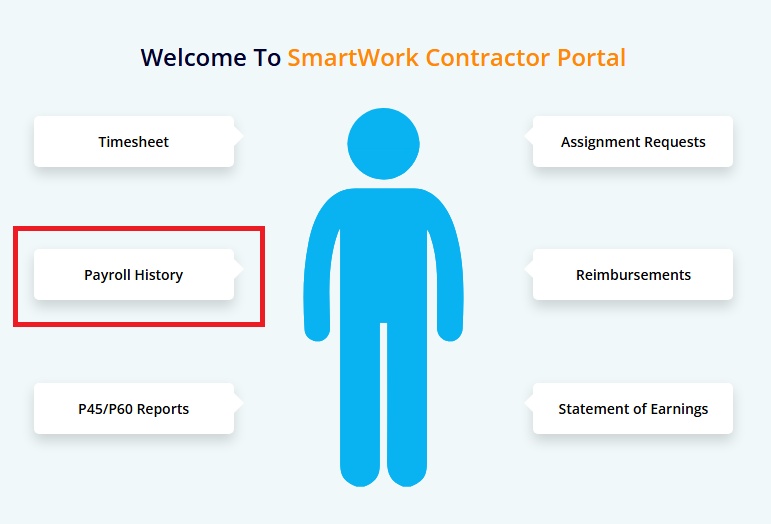
When you log in to the portal, you will see the following screen. To access the Payroll History page, navigate to the Payroll History menu on the dashboard page.

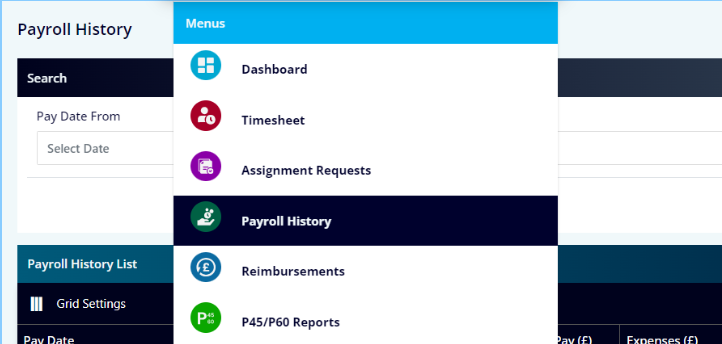
You can also access the Payroll History page via the menu.
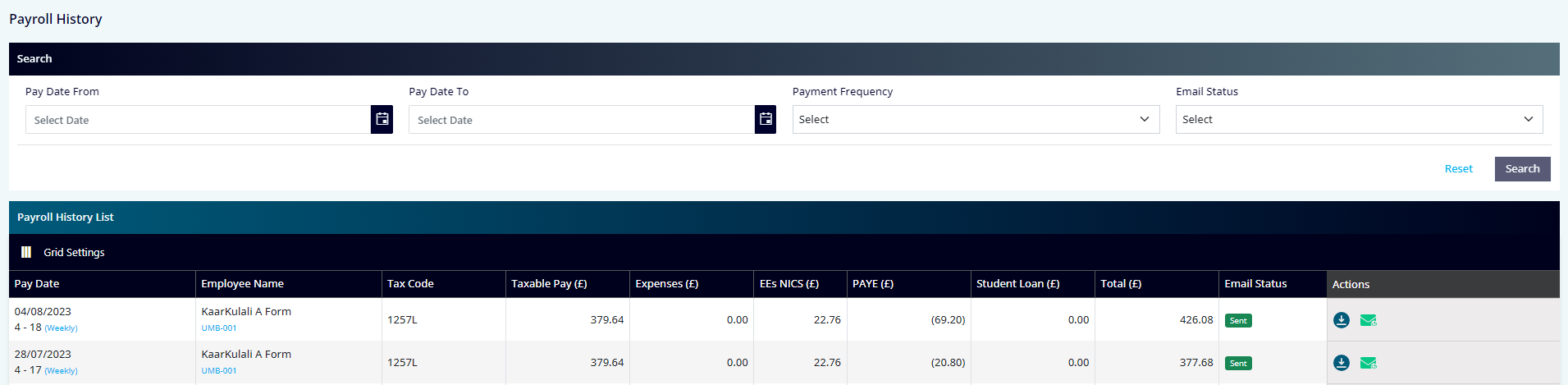
You will be taken to the Payroll History listing screen. The filters on the top of the screen will help you find the payroll listing you are looking for.